Introduction
Parsertime turns raw Overwatch 2 Workshop logs into per-player stats, hero skill ratings (CSR), trend lines, and team breakdowns across eight dimensions. Upload a scrim, get a dashboard within minutes. Built for the gap between when the scrim ends and when VOD review starts.
These docs cover the surfaces you will live in as a coach, analyst, or player: team and scrim setup, the maps and team-stats pages, the CSR and TSR skill rating systems, the Matchmaker for finding scrim partners at your bracket, the Coaching Canvas, the Availability Calendar, and the Discord bot.
Collecting scrim logs
In Overwatch 2, enable Gameplay > Enable Workshop Inspector Log File:
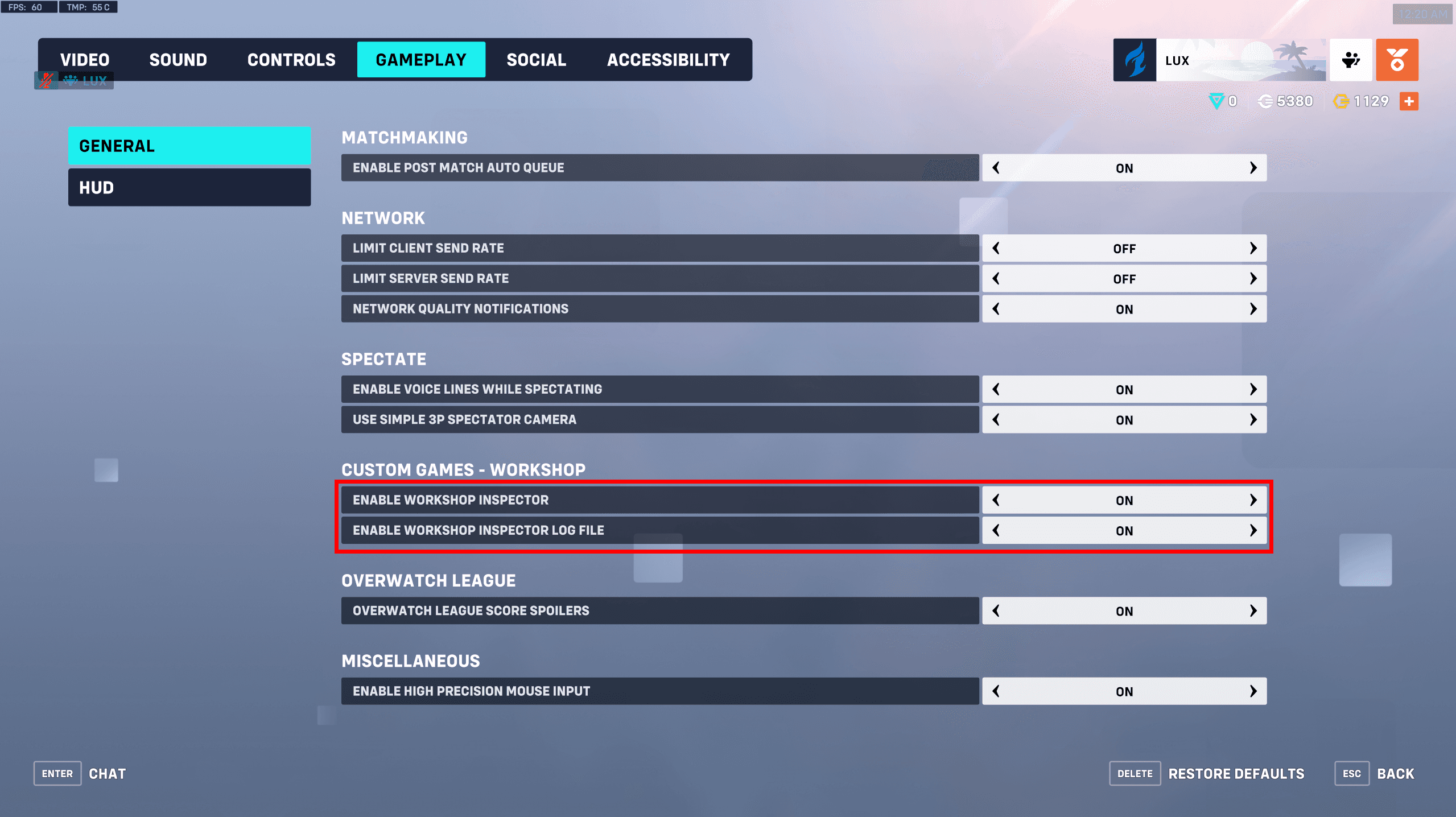
The Workshop Inspector only exports logs for the lobby host. Host the lobby so you collect logs for your team.
Once enabled, use Parsertime's updated version of the ScrimTime workshop code
(Z0ASA) to capture the logs. Turn on Enable Log Generator in Workshop
Settings:
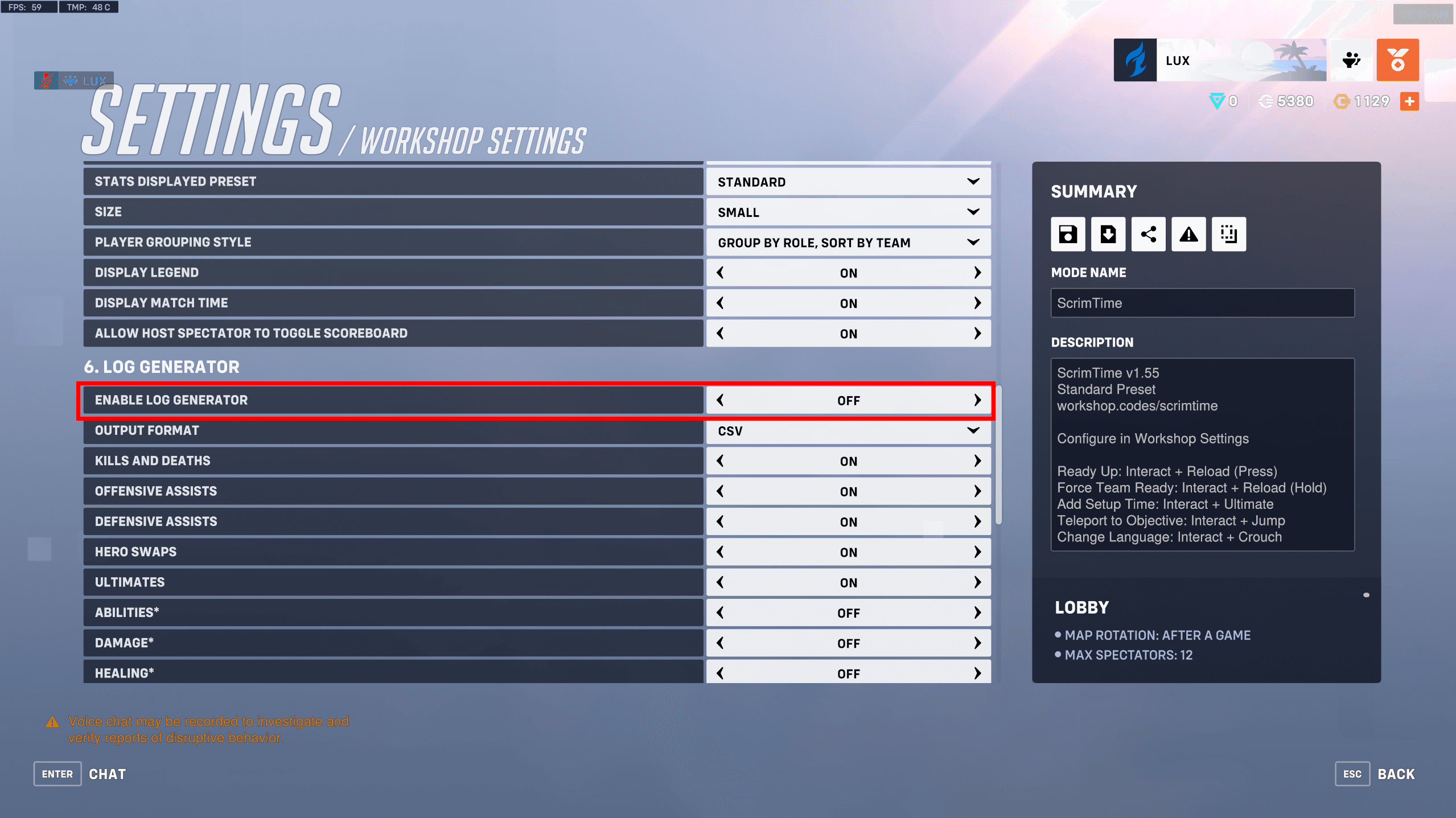
Do not change the other Log Generator settings. Parsertime expects the
defaults; changes here can produce files too large to upload.
Logs land in your Documents/Overwatch/Workshop folder. Delete any log that
is only 1kb before uploading; those are incomplete and will not parse.
What stats are collected
By default the log generator captures:
- Match start and end
- Round start and end
- Objective captures
- Control point progress increments
- Payload progress increments
- Kills and deaths
- Offensive and defensive assists
- Hero spawn
- Hero swaps
- Ultimates charged and used
- D.Va demechs and remechs
- D.Va remech charged
- Echo duplicates
- Mercy resurrects
- Player stat summary
Parsertime visualizes all of these per map.
Uploading scrim logs
Once signed in, open the dashboard and click Create Scrim. Add a title,
assign a team, pick a date, and upload the logs for the first map (you can
add the rest later).
Common errors
Work in progress
Not every error is documented yet. Reach us on Discord or at help@parsertime.app if yours is not listed.
Invalid Log Format (500)
Search the log file for stats appearing as ****. The log generator
occasionally fails to write a number; replace **** with the value you
believe is correct and re-upload.
Internal Server Error (500)
Likely on our end. Reach out on Discord or help@parsertime.app and we will sort it out.
Unauthorized (401)
Your session expired. Log out and back in. If it persists, ping us.
Forbidden (403)
You are not a manager of the team you are uploading the map to. If you are a manager, log out and back in. Otherwise contact us at help@parsertime.app or on Discord.