Leaderboard Feature Documentation
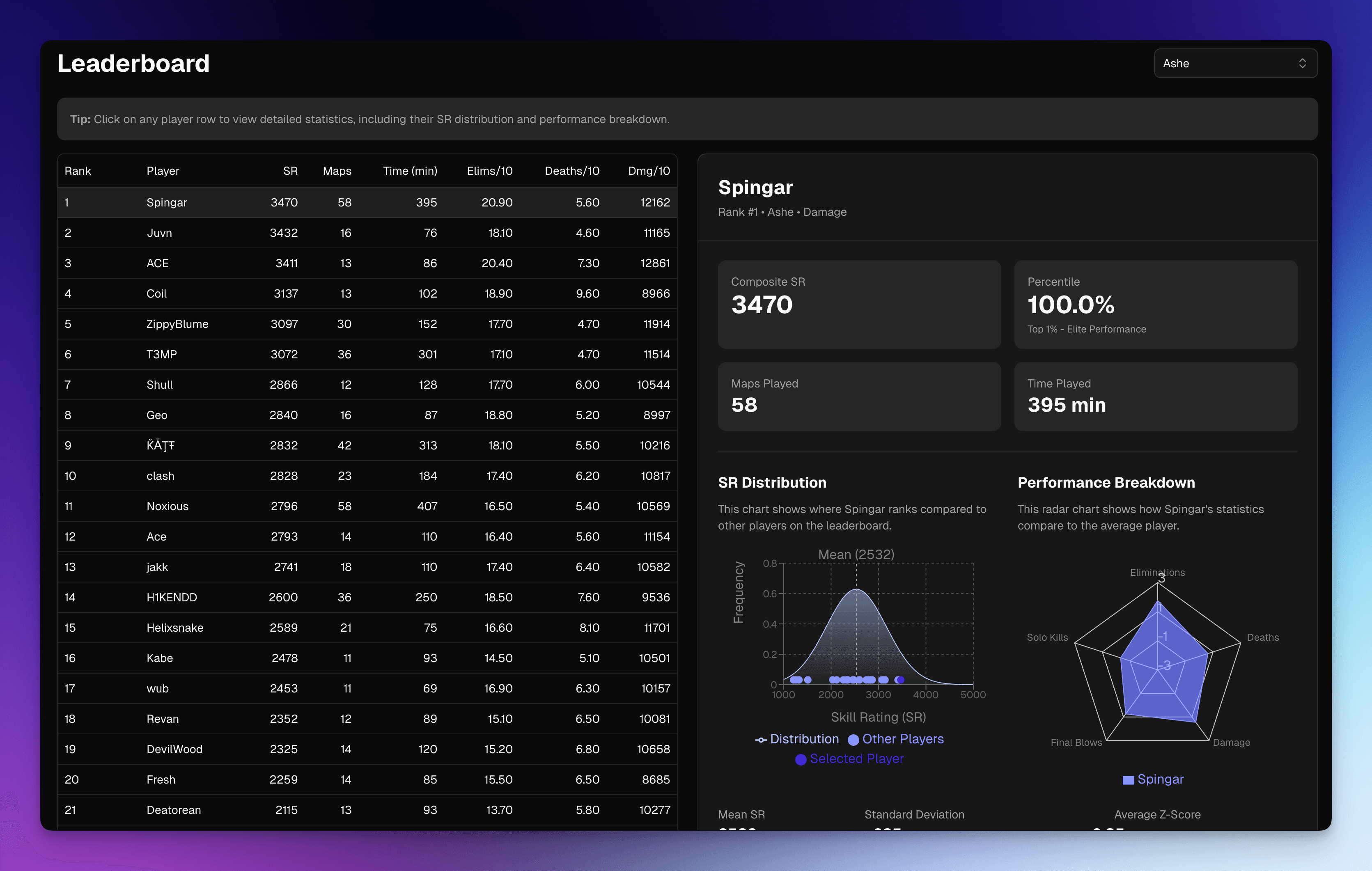
A leaderboard page has been added to display the top 50 players for each hero. This shows metrics like where the player is distributed on the bell curve of leaderboard scores, how their performance compares to others, and more.
Leaderboard Criteria
To appear on the leaderboard, you must meet the following criteria:
- At least 10 maps played on the hero. This ensures the data is statistically significant and represents consistent performance.
- At least 60 seconds of playtime per map. Brief hero swaps mid-game won't count toward your map total.
Even if you don't appear in the top 50, your rank is still calculated and visible on your profile page, allowing you to track your progress over time.
Key Features
Hero Selection
- Role-organized dropdown: Heroes are grouped by role (Tank, Damage, Support) for easy navigation
- Search functionality: Quickly find specific heroes by typing their name
- Current selection display: The selected hero is clearly indicated in the dropdown
Interactive Leaderboard Table
The leaderboard table displays essential statistics at a glance:
- Rank: Your position among all players for that hero
- Player Name: Clickable links to player profiles with hover cards for quick info
- Composite SR: Your overall skill rating for the hero
- Maps Played: Total number of maps completed
- Time Played: Total minutes spent playing the hero
- Performance Metrics (per 10 minutes):
- Eliminations
- Deaths
- Damage dealt
- Role-specific stats:
- Support: Healing output
- Tank: Damage blocked
Player Selection & Detailed Stats
Click any row in the table to view comprehensive statistics for that player:
Desktop Experience
- Split-screen layout with the table on the left and stats panel on the right
- Stats panel remains visible as you scroll through the table (sticky positioning)
- Visual highlighting of the selected player row
Mobile Experience
- Stats appear below the table when a player is selected
- Optimized layout for smaller screens
Detailed Statistics Display
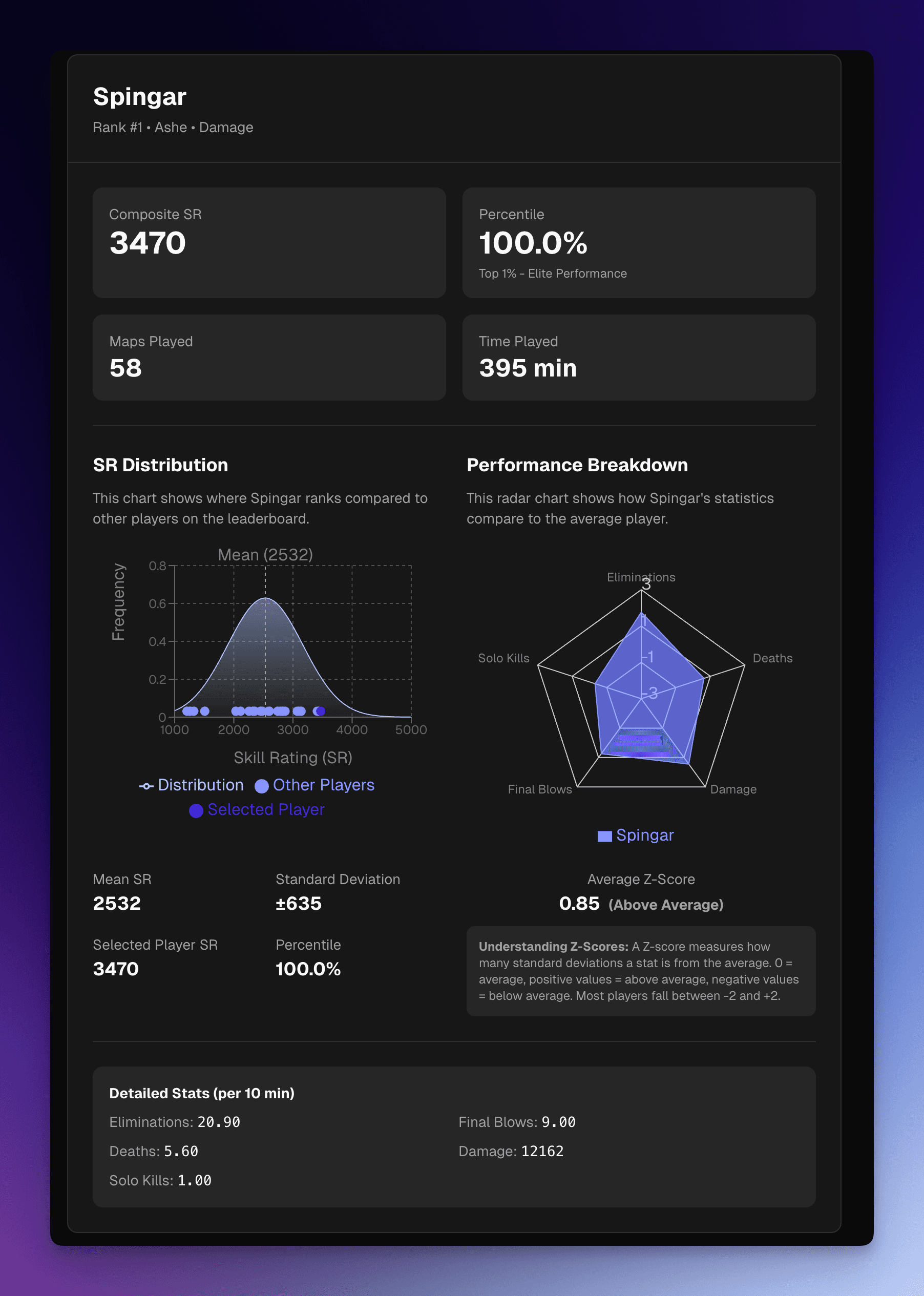
When a player is selected, you'll see:
Overview Cards
- Composite SR: The player's overall skill rating
- Percentile Ranking: Where they stand relative to all players, with descriptive labels:
- Top 1%: Elite Performance
- Top 5%: Exceptional
- Top 10%: Excellent
- Top 25%: Very Good
- Top 50%: Above Average
- Top 75%: Average
- Below 75%: Below Average
- Maps Played: Total map count for the hero
- Time Played: Total minutes invested
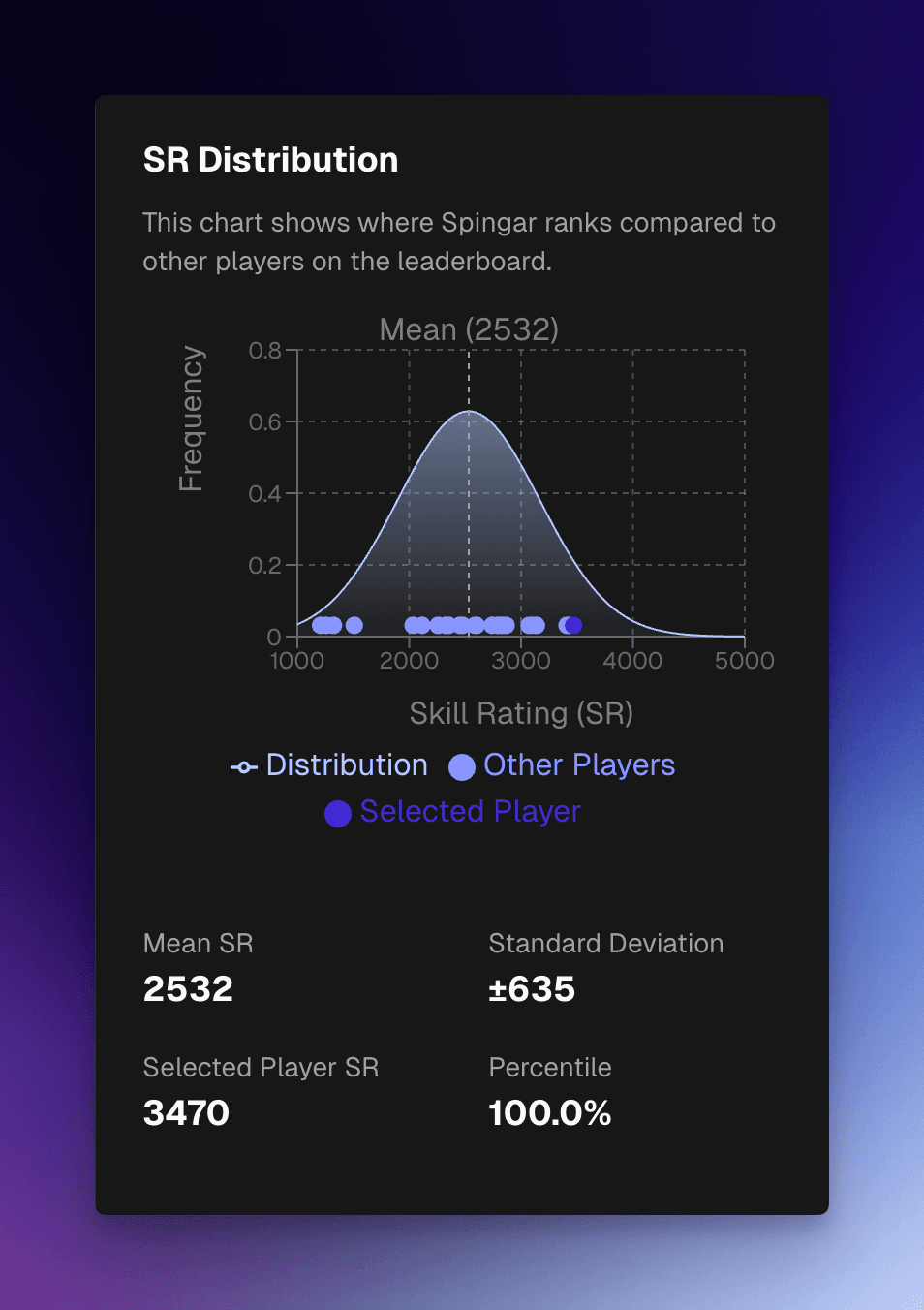
SR Distribution Chart
- Bell curve visualization showing the distribution of skill ratings across the leaderboard
- Highlights where the selected player falls on the curve
- Helps understand if you're at the average, above average, or among the elite players
Performance Breakdown Radar Chart
- Visual comparison of the player's statistics against the leaderboard average
- Metrics displayed:
- Eliminations per 10 minutes
- Deaths per 10 minutes
- Damage per 10 minutes
- Role-specific metrics (healing, blocking, etc.)
- Values further from the center indicate greater deviation from average

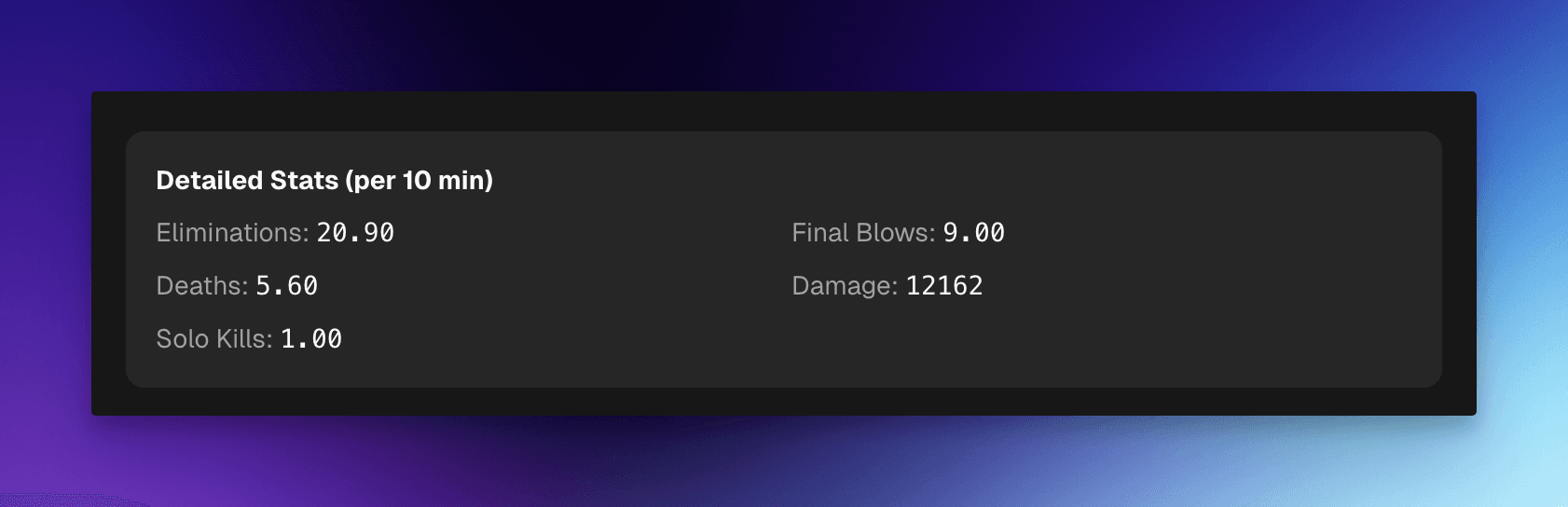
Detailed Per-10-Minute Statistics All stats are normalized to a 10-minute timeframe for fair comparison:
- Eliminations: Total enemy eliminations
- Final Blows: Eliminations where you landed the killing blow
- Deaths: Number of times you died
- Damage: Total damage dealt to enemies
- Healing (Support only): Total healing provided to teammates
- Blocked (Tank only): Total damage blocked or absorbed
- Solo Kills: Eliminations where you were the only damage source
- Ultimates: Number of ultimate abilities used
Tips for Using the Leaderboard
- Click on player names to visit their full profile page
- Hover over player names for a quick preview card
- Use the hero selector to switch between different hero leaderboards
- On desktop, keep the stats panel visible while browsing the table by scrolling
- On mobile, tap any row to expand stats below the table