Maps
The Maps tab provides comprehensive map performance analysis, including win rates by map type, individual map statistics, and player-specific map performance. This tab helps teams understand their map strengths and weaknesses to inform practice and strategy decisions.
Features
Map Mode Performance Card
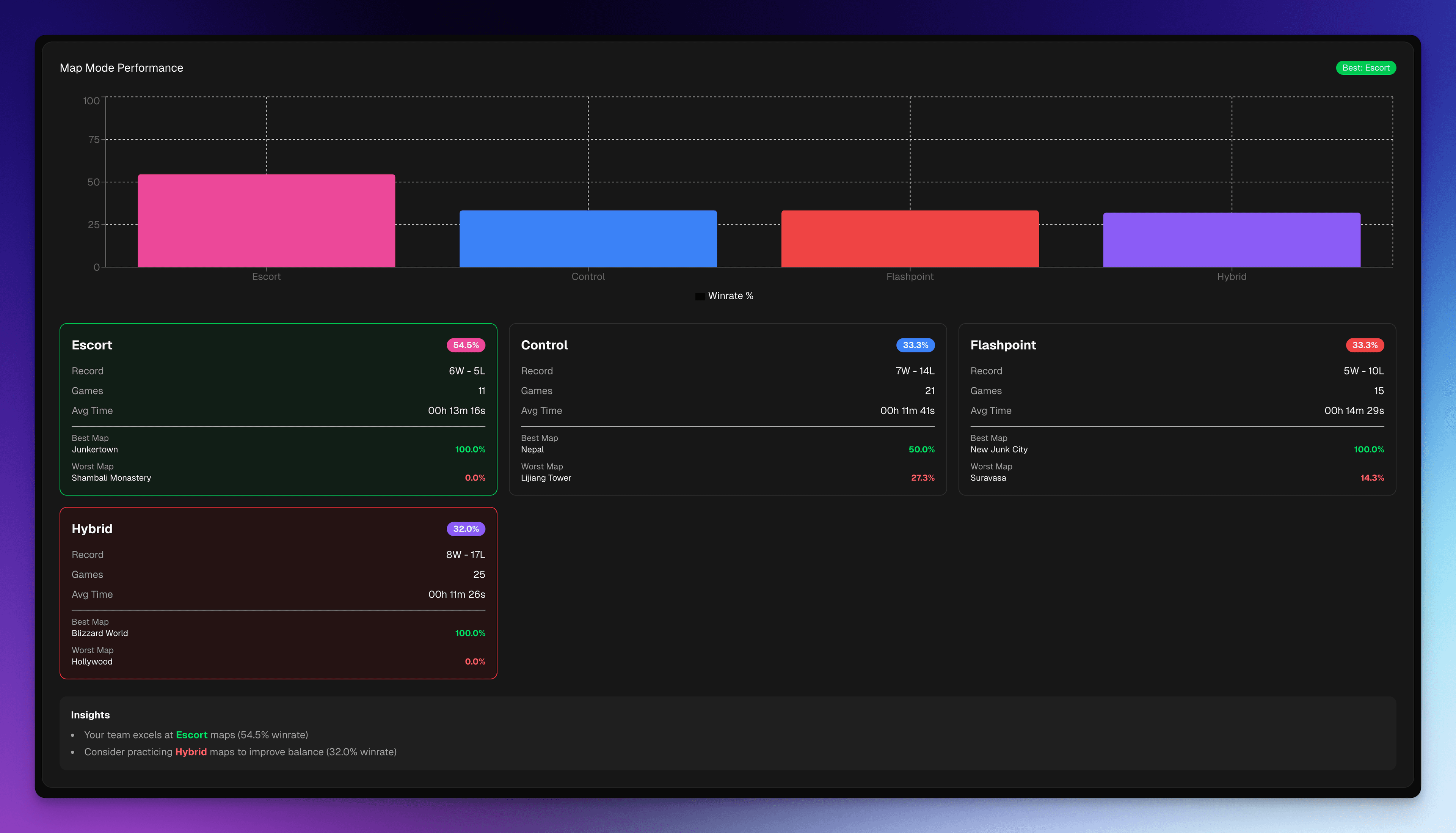
Analyzes performance across different map types (Control, Hybrid, Escort, Flashpoint):
Features:
- Bar Chart Visualization: Win rate comparison across map types
- Best Mode Badge: Highlights your team's strongest map type
- Detailed Statistics: For each map type:
- Win rate percentage
- Win-loss record
- Total games played
- Average playtime
- Best performing map within that type
- Worst performing map within that type
- Color-Coded Cards: Visual indicators for best (green) and worst (red) performing modes
- Insights Section: Provides recommendations:
- Which map types you excel at
- Which map types need more practice
Map Types Tracked:
- Control: Best-of-three control point maps
- Hybrid: Escort + Assault hybrid maps
- Escort: Payload escort maps
- Flashpoint: Control point capture maps
Map Winrate Gallery
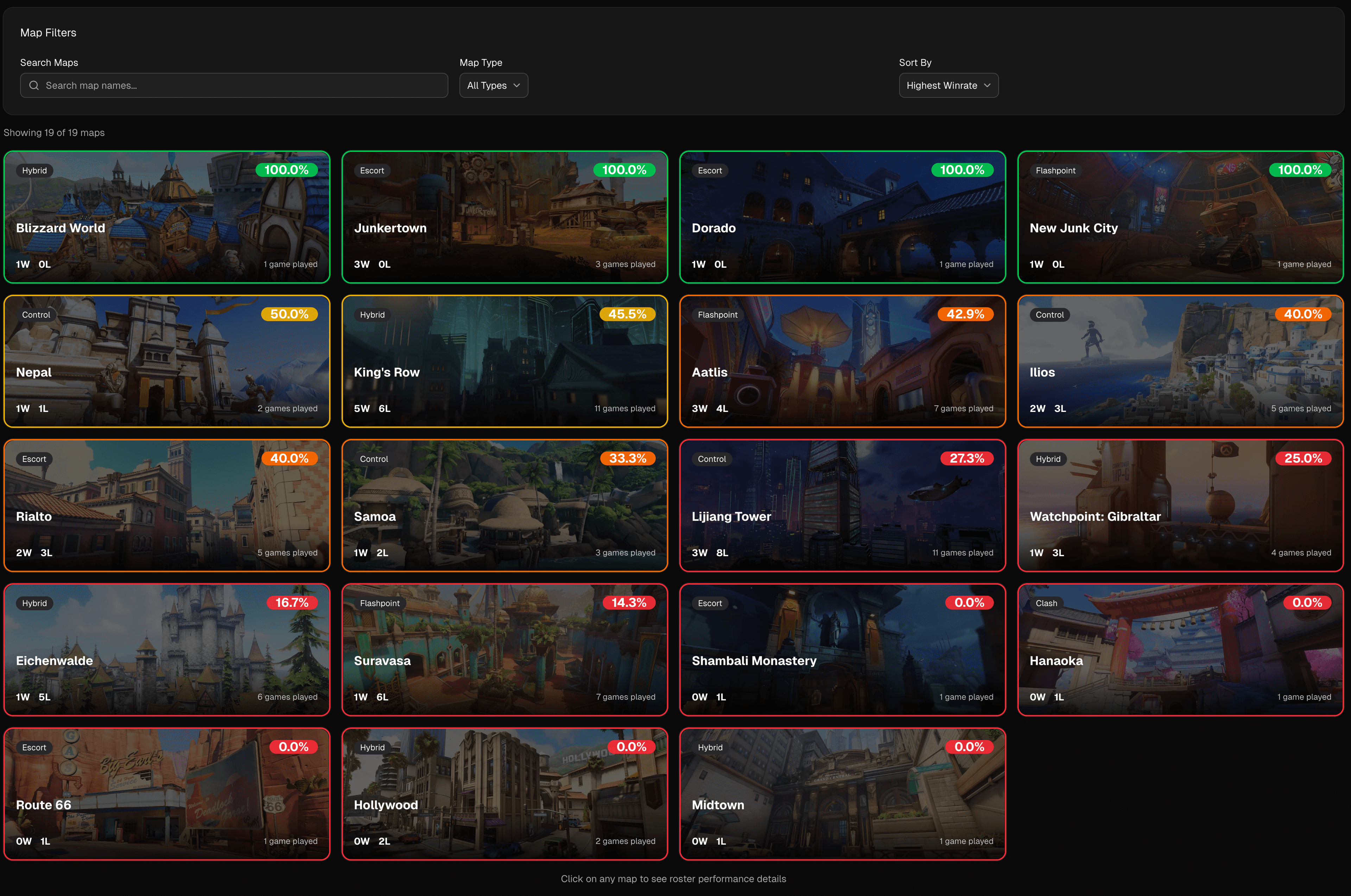
Visual gallery showing performance across all maps:
Features:
- Map Cards: Each map displayed as a card with:
- Map thumbnail image
- Map name
- Win rate percentage (color-coded)
- Total playtime
- Win-loss record
- Visual Organization: Maps organized for easy browsing
- Performance Indicators: Color coding shows:
- Green: Strong performance (≥50% win rate)
- Red: Weak performance (<50% win rate)
- Playtime Context: Shows which maps you play most frequently
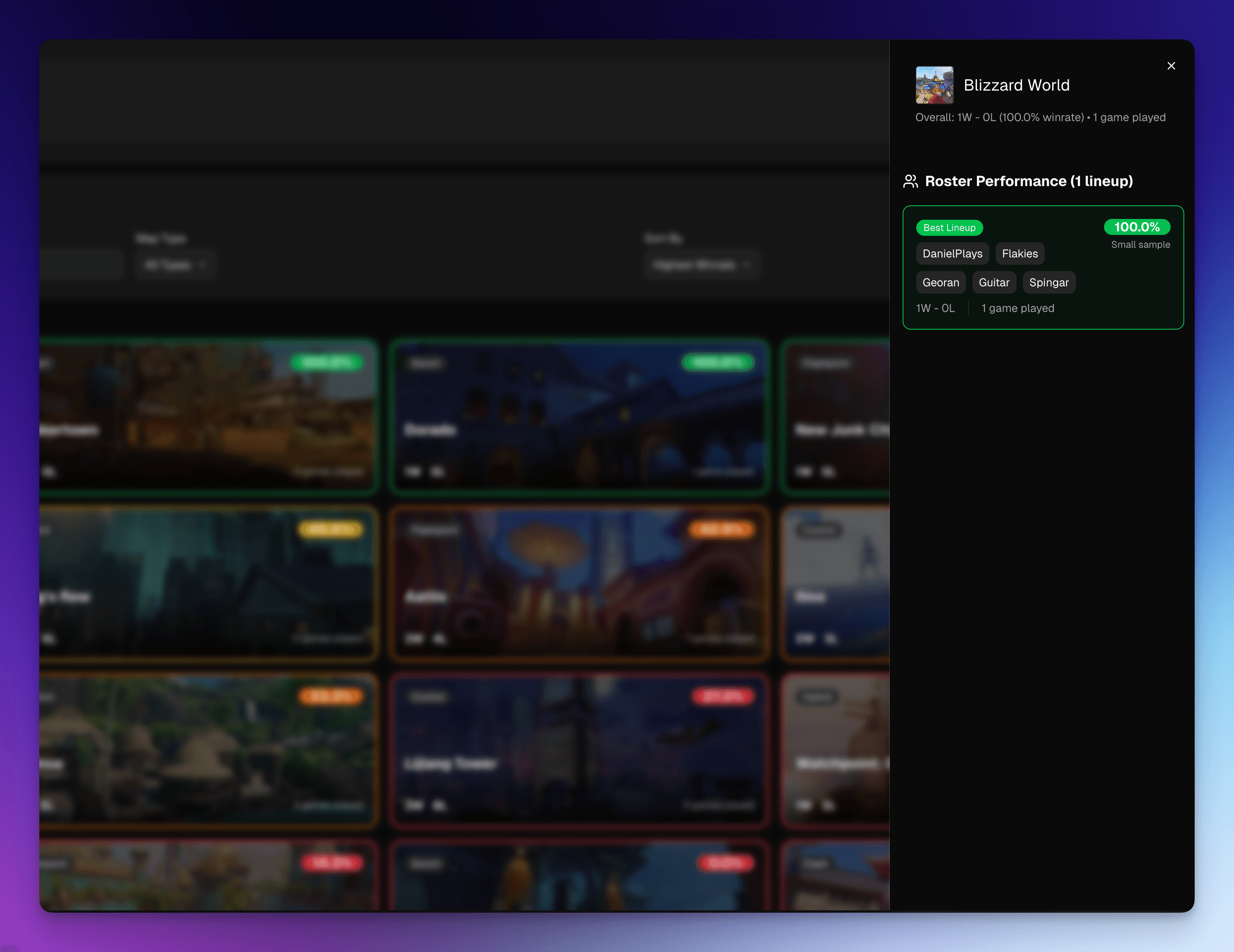
Clicking on a map card will open a modal with more detailed information about the map. This includes the winrate, win-loss record, total playtime, and a list of every roster variation that has played the map. This is useful for identifying which roster variations are performing well and which are not.
Use Cases:
- Quick reference for map performance
- Identify maps to prioritize in practice
- Understand map pool depth
- Plan map-specific strategies
Player Map Performance Matrix
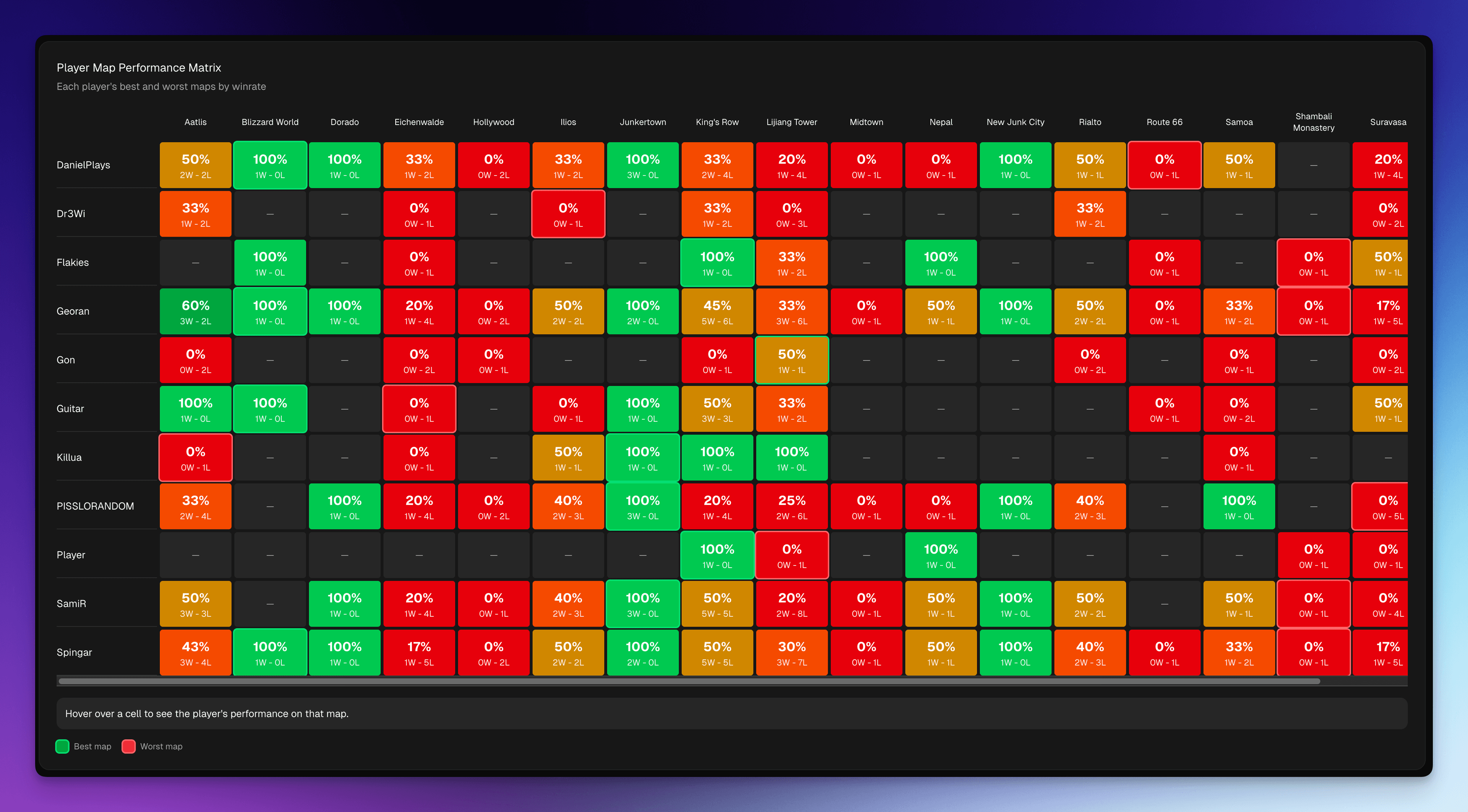
Detailed breakdown of how each player performs on each map:
Features:
- Matrix View: Grid showing player vs map combinations
- Performance Data: For each player-map combination:
- Win rate
- Win-loss record
- Number of games played
- Best/Worst Maps: Identifies:
- Each player's best performing map
- Each player's worst performing map
- Hover Tooltips: Detailed information on hover
- Data Availability: Clearly indicates when a player hasn't played a map yet
Insights:
- Identify which players excel on which maps
- Plan roster rotations based on map
- Understand player-map synergies
- Identify players who need more practice on specific maps
Key Insights
The Maps tab helps answer questions like:
- Which map types are we strongest/weakest at?
- What are our best and worst individual maps?
- How does each player perform on different maps?
- Which maps should we focus on in practice?
- Are we playing enough variety in our map pool?
Use Cases
- Practice Planning: Focus practice time on weak maps
- Map Bans/Picks: Make informed decisions in scrims and matches
- Roster Decisions: Choose players based on map-specific performance
- Strategy Development: Develop map-specific strategies
- Meta Adaptation: Track how map performance changes over time
Data Requirements
- Requires scrim data with map information
- Player map performance requires player-level statistics
- More accurate with larger sample sizes per map
- Map mode performance requires map type classification
Best Practices
- Regularly review map performance to identify trends
- Use player map performance to inform roster decisions
- Track improvement on weak maps over time
- Balance practice time between strong and weak maps
- Consider map pool depth when preparing for tournaments